
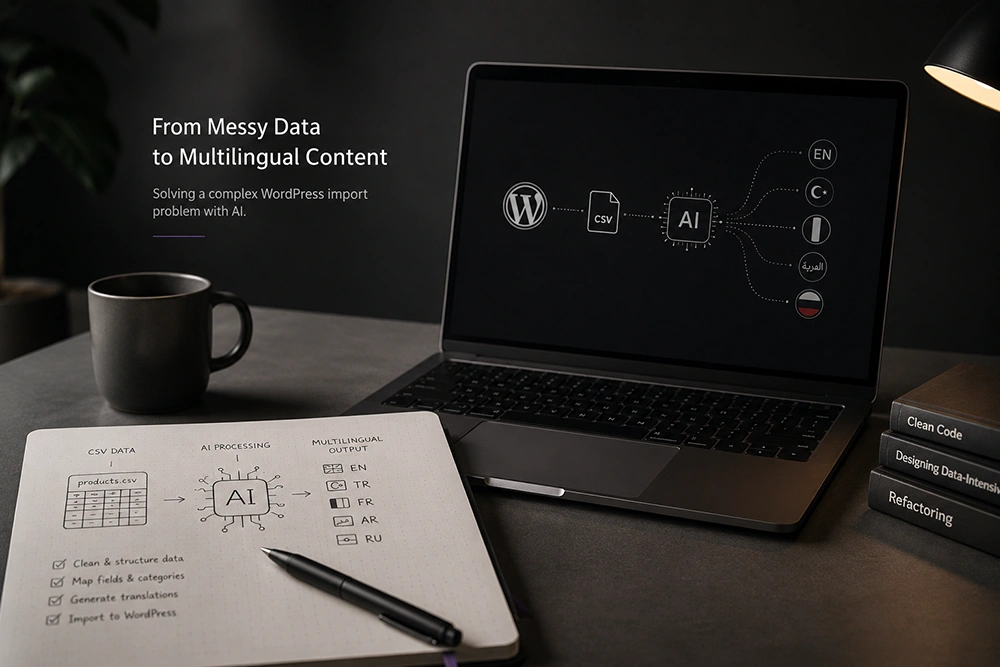

In one of my recent projects, Palmart, I had to import product content into a WordPress website in five different languages: English, Turkish, French, Arabic, and Russian.
The website was built with WordPress and Elementor, the products were a custom post type created with JetEngine, and Polylang was handling the multilingual part.
Sounds simple enough, right?
It wasn't.
The main problem was that not everything was supposed to be translated. Some things, like images and categories, were shared between languages, while titles, descriptions and custom fields were different.
So if I had, let's say, 50 products, I wasn't really dealing with 50 products anymore. I was dealing with those products across five different languages, each with its own content and structure.
Doing all of that manually would have taken me at least a week.
And honestly, I really didn't want to spend a week copying and pasting product information.
I tried a few different WordPress import/export solutions, including WP All Import/Export. They're actually pretty good tools, but my setup was a little more complicated than a normal WordPress import.
Because the products were custom post types and had custom fields and multilingual relationships, I couldn't get the plugins to handle everything exactly the way I wanted.
So I started thinking about the problem differently.
Moving the Data Outside WordPress
Instead of trying to make WordPress do everything, I decided to take the data out of WordPress first.
I created the product structure in the five languages and then used WP All Export to export everything into a CSV file.
This turned out to be the useful part.
A CSV file is much easier to manipulate than a bunch of individual WordPress posts. Once the data was in a structured format, I could work with it without constantly jumping between WordPress, Elementor and Polylang.
I then gave the CSV to AI along with the original English product content.
I had it translate the relevant fields for each language, while being careful with things that shouldn't be changed, especially image URLs and other existing data.
The idea wasn't to just say "translate this file" and hope for the best. I had to be quite specific about what it could change and what it had to leave alone.
After processing the file, I imported the data back into WordPress.
It wasn't completely automatic. I still had to check the translations, formatting, images and a few other things manually. But compared to creating and editing every product one by one, it saved a lot of repetitive work.
And that was really the interesting part of the whole thing.
It Wasn't Really About AI
The useful part wasn't that AI could translate text. There are plenty of tools that can do that.
What helped me was using AI to work with the structure of the data.
The problem started as a WordPress problem, but I eventually realized I didn't have to solve all of it inside WordPress.
I could take the data out, manipulate it somewhere else, and then put it back.
So the workflow ended up being something like:
WordPress → CSV → AI → processed CSV → WordPress
It's not a perfect solution, and I'm sure there are better ways of automating parts of it. I still had to do some things manually.
But it worked.
It also made me think that there should probably be a better WordPress tool for this kind of situation. Something that understands custom post types, custom fields, images, taxonomies and multilingual relationships, instead of making you figure out all of that yourself.
Maybe I'll build it someday.
For now, this was one of those problems where the solution wasn't another plugin. I just had to stop trying to solve everything from inside WordPress and look at the data itself.
Sometimes that's enough to make a messy problem a lot simpler.